



Creating a BreedLOGIC Account
KEY TAKEAWAYS
- Create a free BreedLOGIC (opens in a new tab) account for unlimited database searching.
- Save your preferred layouts and settings between sessions.
- Access additional BreedLOGIC features and future platform enhancements.

It is highly recommended that anyone wishing to use BreedLOGIC Database Search creates a free BreedLOGIC account. While animal and member records can be searched without signing in, the number of searches available in each session is limited.
Creating a BreedLOGIC account provides unlimited search capability, allowing you to search animal records, member details and browse available sale catalogues without restriction.
A BreedLOGIC account also unlocks additional platform features. Users can personalise their viewing experience with custom layouts and display preferences, with these settings saved between sessions when signed in. Accounts can also be linked to existing ABRI registry accounts, including Internet Solutions and ILROnline, where available. As BreedLOGIC continues to evolve, new functionality and enhancements will also be delivered through the platform.
SETTING UP YOUR BREEDLOGIC ACCOUNT
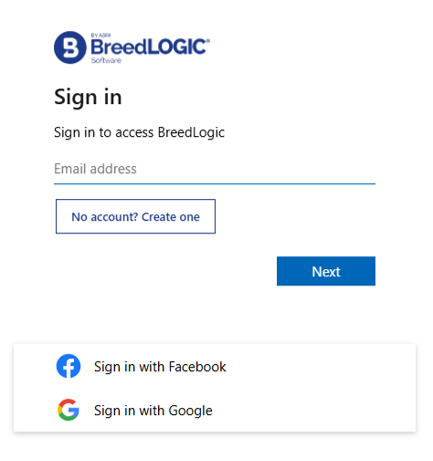
To create your BreedLOGIC account, visit the BreedLOGIC website (opens in a new tab) and click the blue Sign In button in the top right-hand corner. From the Sign In screen, select 'No account? Create one' to create a new account.
You can register using:
- An email address and password, or
- An existing Facebook or Google account.
If registering with an email address, you will be prompted to enter your email address, verify your email using a code sent to your inbox, create a password and enter your details.
If using an existing Facebook or Google account, simply select the relevant option and follow the prompts to complete the setup process.
[IMPORTANT] BreedLOGIC uses a separate login from previous ABRI registry systems. Existing Internet Solutions and ILROnline usernames and passwords cannot be used to sign in to BreedLOGIC. Once your BreedLOGIC account has been created, you can link it to your existing ABRI registry accounts where available.
OPTIONAL QUESTIONS
During account setup, you may be asked several optional questions about how you intend to use BreedLOGIC. These questions help the BreedLOGIC team understand user needs and improve the platform. You can skip these questions at any time.